Settings
Settings Module is one of the most important modules to manage the website. You will configure the Website Theme, Contact Details, Defaults, SEO Analytics, Site Map using Settings Module.
Settings Module is divided into four sections:
Website Theme
Contact Details
Defaults
SEO Analytics
We will discuss each section in detail in this document.
Website Theme
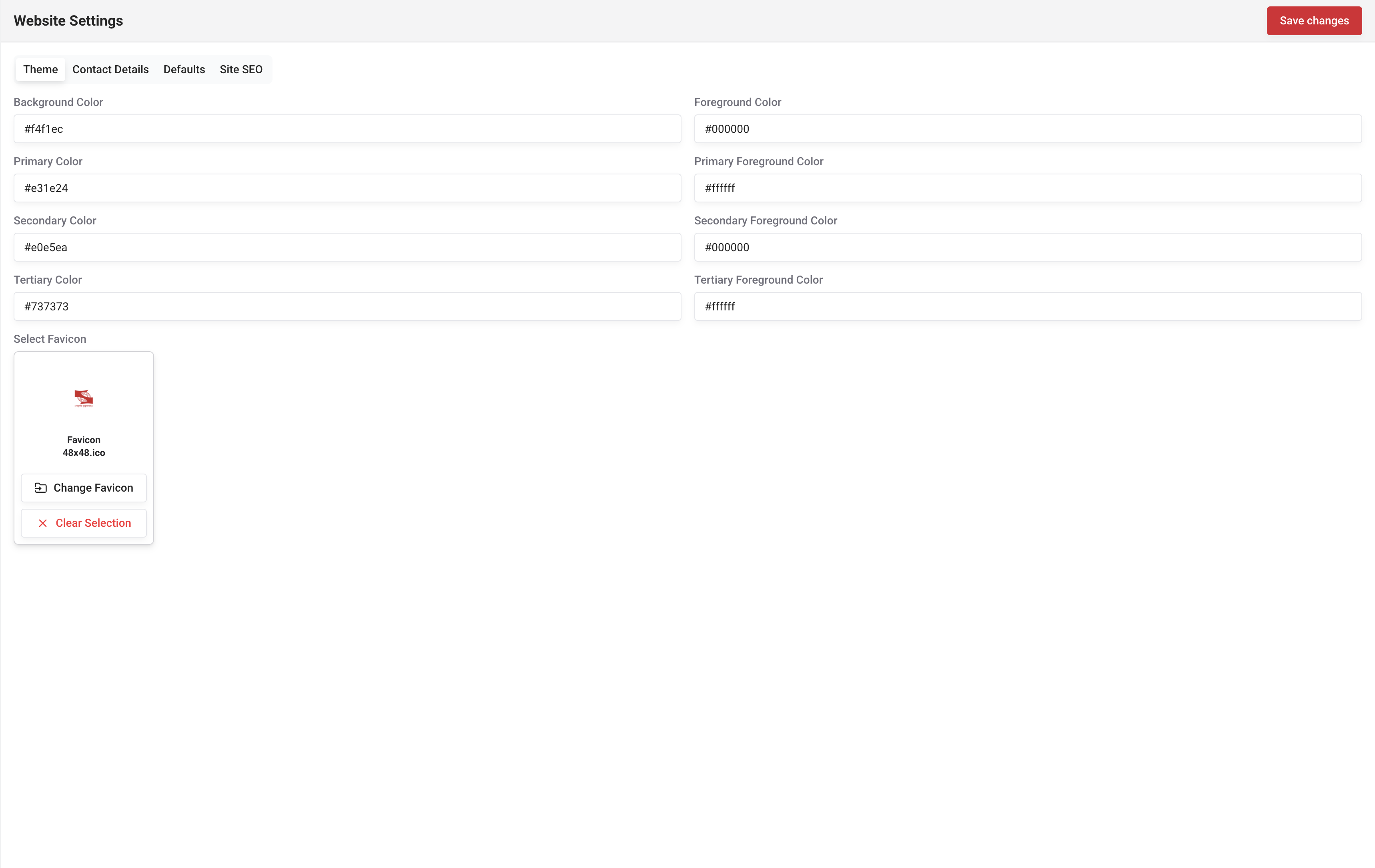
In the theme section you can configure the options.
Background Color: Hex value (Default background color).
Foreground Color: Hex value (Default Text Color).
Primary Color: Hex value (Reflects primary text, primary background, buttons, etc.).
Primary Foreground Color: Hex value (Reflects text printed on a primary background, primary button text color, etc.).
Secondary Color: Hex value (Reflects secondary text, secondary background, buttons, etc.).
Secondary Foreground Color: Hex value (Reflects text printed on a secondary background, secondary button text color, etc.).
Tertiary Color: Hex value (Reflects tertiary text, tertiary background, buttons, etc.).
Tertiary Foreground Color: Hex value (Reflects text printed on a tertiary background, tertiary button text color, etc.).
Favicon: Website favicon.
As described, the theme is divided into five colors Background, Foreground, Primary, Secondary, Tertiary. You can change these colors to suit your website needs and preferences (Mostly colors which compliment the logo are used).
Contact Details
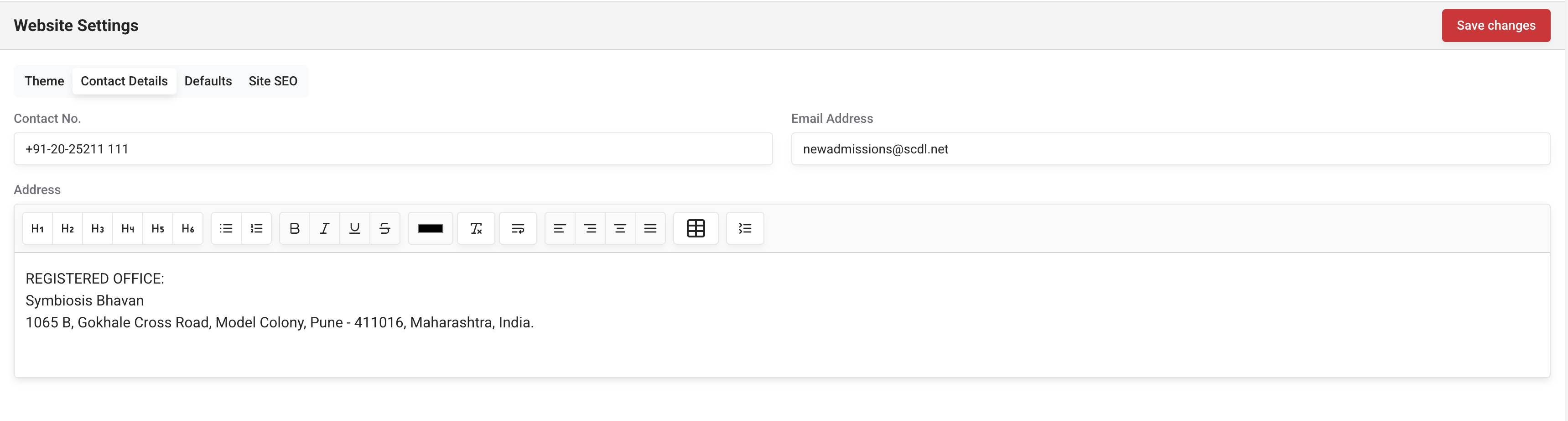
In the contact details section you can configure the options.
Contact No: Contact number.
Address: Address.
These details are used in the footer section, contact no button of the frontend.
Defaults
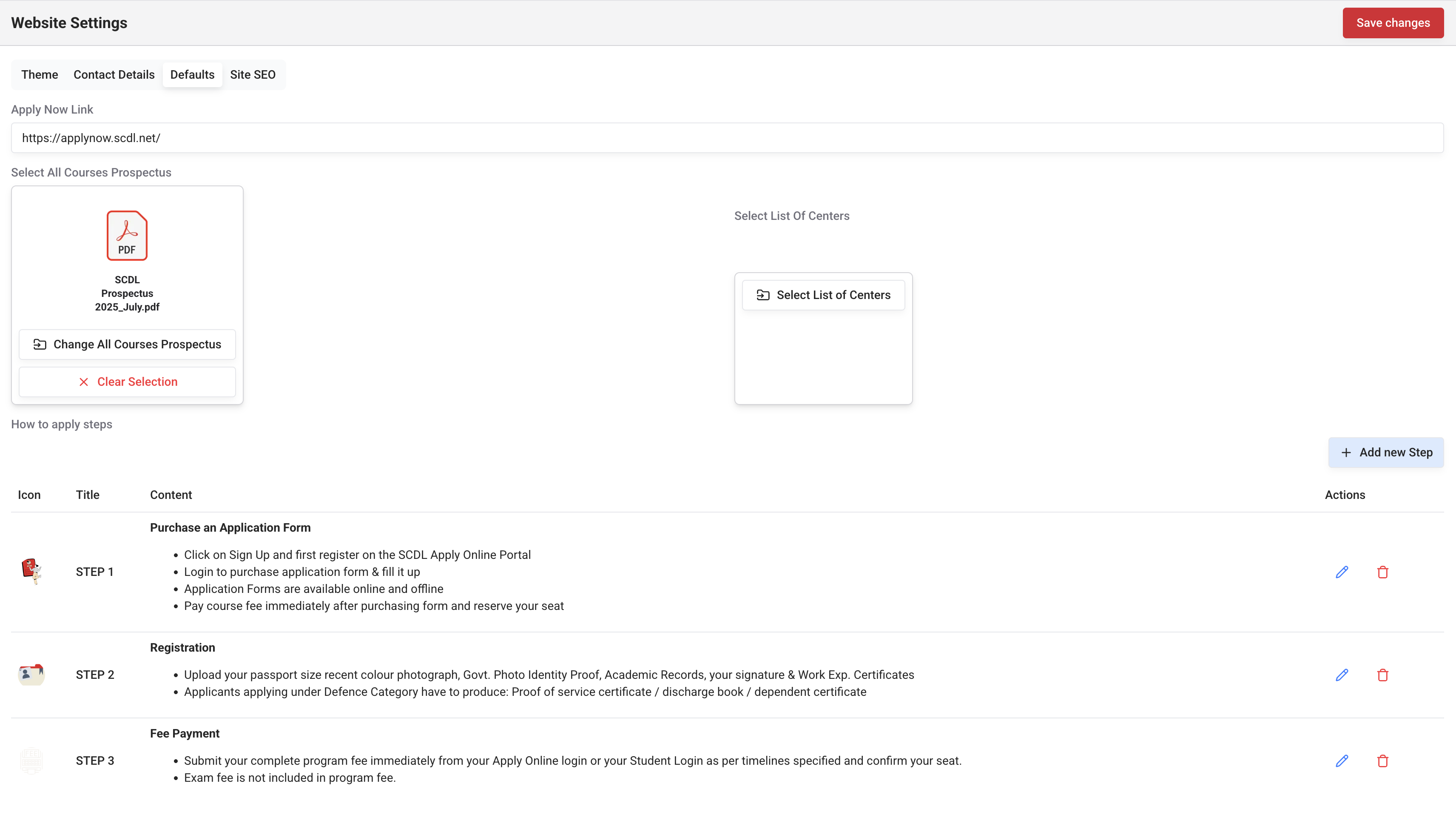
In the defaults section you can configure the options.
Apply Now Link: Default "Apply Now Link" for programs.
All Courses Prospectus: All programs prospectus available for download to the users from frontend.
List Of Centers: List of centers available for download to the users from frontend on the program page.
How to apply steps: You can use multiple items editor to add steps for section type-How to Apply, and default steps for the Program page.
You can use Media Selector to select All Courses Prospectus and List Of Centers.
SEO Analytics

In the SEO Analytics section you can configure the options.
Google Analytics Code: Google Analytics code.
Google Tag Manager Code: Google Tag Manager code.
Once updated here, the Tag Manager code will be automatically added to the website.
If both Google Analytics and Google Tag Manager are configured, Google Analytics will be used as per guidelines GA should be configured in GTM.
Using the settings module, you can control the most important aspects of your website. Please use the Settings Module carefully and wisely.
Also, Please refer to the below-related topics for additional information about other modules.