Enquiries
Enquiries Module is where you can check the enquiries submitted by the website visitors. Brief enquiry form is provided on the frontend to submit enquiries for interested Programs.
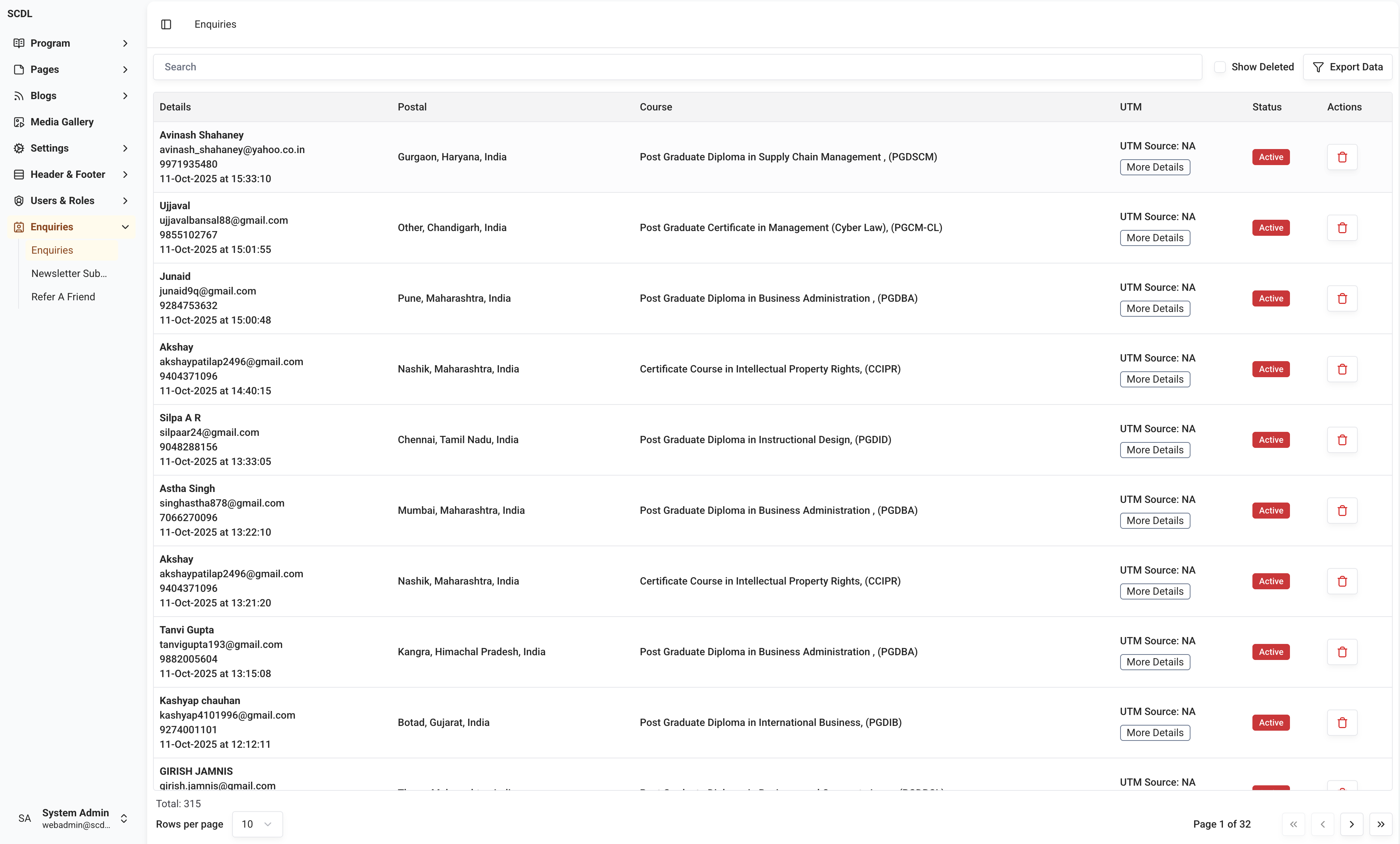
Enquiries can be created by the website visitors by filling the enquiry form and submitting it from Home page, Prospectus Downloads, Program Page, etc.
Structure
Every enquiry will have the following fixed fields:
Name
Contact No
Email
Program
Country
State
City
Apart from the above fields below data is also collected with the enquiry submission:
UTM Source
UTM Medium
UTM Campaign
UTM Content
UTM Term
Landing Page
Visitor Session ID
Visitor Session Duration
Referrer
User Agent
Operating System
Browser
Device Type
Device Language
Time Zone
IP Address
Screen Resolution
You can click on the More Details button in the UTM Column to view the UTM details of the enquiry.
Exporting and Searching
Enquiries can be searched using the search box in the top bar of the page for Name, Contact No, Email.
Furthermore, enquiries can be filtered and exported using filters available in the Export Form. You can click the Export Data button to export the data in xlsx format using the filters selected.
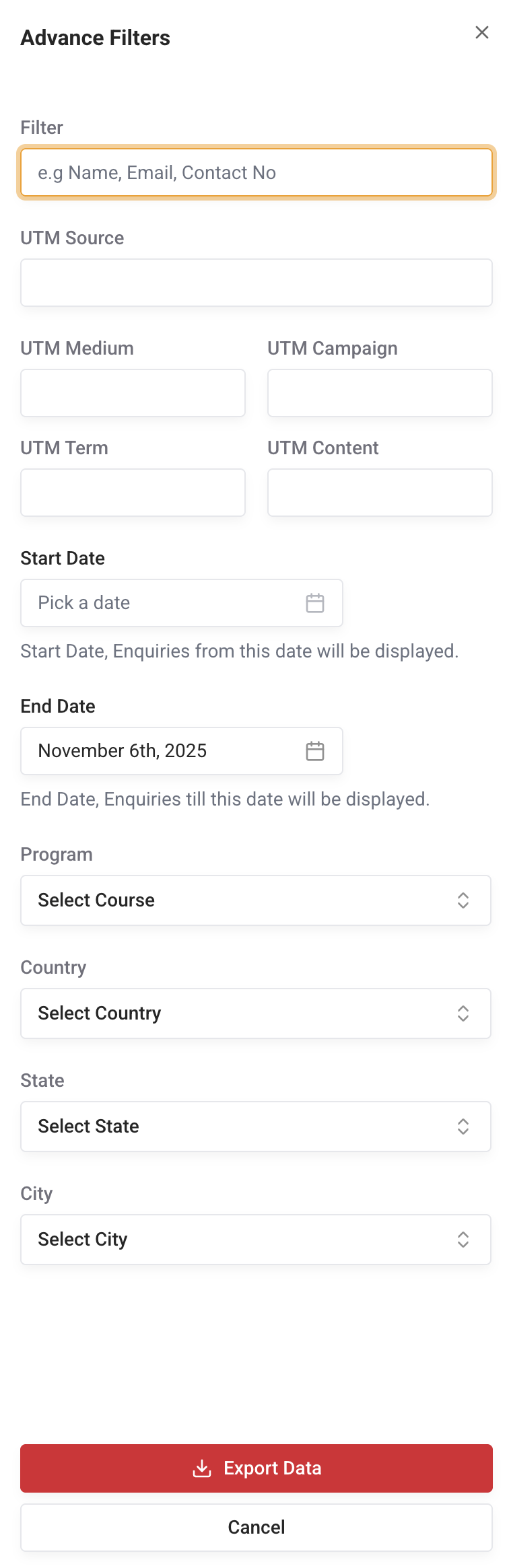
By selecting filters in the above-shown Advanced Filters form, you can export the data in xlsx format by clicking the Export Data button.
Server will filter the data and export it in xlsx format, and your download will start automatically.